SH1
4 cores · 4 GB RAM
AR$89,700US$60per month
Out of stock · notify meFree We move your site and email with no downtime or cost
Cloud server · Databases
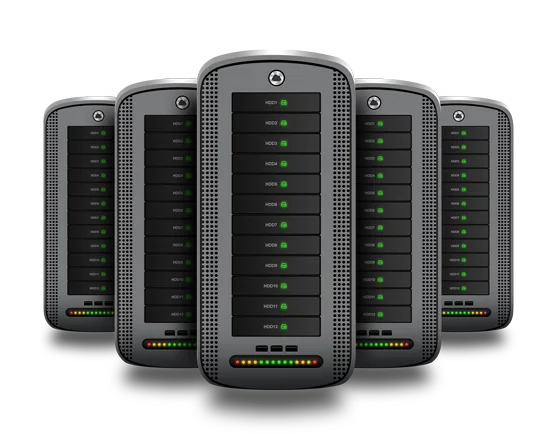
Memory is exclusive, so frequent queries are answered from RAM. Disks work in RAID 10 with one on standby, and the database talks to your application servers over a private network, never peeking out to the internet.
Reserving 16 or 32 GB keeps indexes and the busiest tables in memory, so answers come back without touching the disk.
Your application servers reach it over the datacenter’s private network. The database port never needs to face the world.
If a disk breaks, the standby one takes its place automatically and the array rebuilds while the database keeps serving.
If your system stores personal data of Argentine customers, hosting it in Buenos Aires spares you from justifying an international transfer.
Plans
These are our regular plans: the link opens the cart with this page’s option selected, and you can change it there.
4 cores · 4 GB RAM
AR$89,700US$60per month
Out of stock · notify me4 cores · 6 GB RAM
AR$97,175US$65−10 % with INH
AR$87,458US$58.50per month
Order SH24 cores · 8 GB RAM
AR$104,650US$70−10 % with INH
AR$94,185US$63per month
Order SH38 cores · 8 GB RAM
AR$112,125US$75−10 % with INH
AR$100,913US$67.50per month
Order SH4Recommended
8 cores · 16 GB RAM
AR$119,600US$80−10 % with INH
AR$107,640US$72per month
Order SH58 cores · 32 GB RAM
AR$127,075US$85−10 % with INH
AR$114,368US$76.50per month
Order SH6Getting started
Tell us its size and its query load. The goal is for the busiest part to fit entirely in RAM.
We join the server to your application VPS or servers over the datacenter’s internal network; each machine gets its own private address.
Make the engine listen only on the internal IP. In PostgreSQL, for instance, in postgresql.conf and pg_hba.conf:
listen_addresses = '10.0.0.2'
host all all 10.0.0.0/24 scram-sha-256FAQ
Rule of thumb: what gets read the most —indexes and hot tables— should fit in memory. A database of roughly 10 GB or less works comfortably on an SH5 (16 GB); if it is larger or very busy, move to an SH6 (32 GB), and beyond that, to the expansion up to 128 GB.
Yes, with your cloud servers: inside the datacenter we connect them over a private network, with an internal IP on each machine. Mention it when ordering. If your app runs on a Cloud VPS, ask us first how best to connect them.
No. The engine, its updates and its backups are handled by your team, just like the operating system. We look after the hardware, the platform and the network, and lend a hand while you get it going.
One disk in the RAID 10 array sits on standby: it replaces the failed one with no intervention, and the server does not stop while it rebuilds. You still need your own database backups: RAID will not save you from a DELETE without a WHERE.
Tell us about your project and we will help you size it: VPS, cloud server or colocation. You talk to a person who knows servers.
Talk to an engineer